• 3 min read
Why do we await twice when using fetch?
Why Do We await Twice When Using fetch?
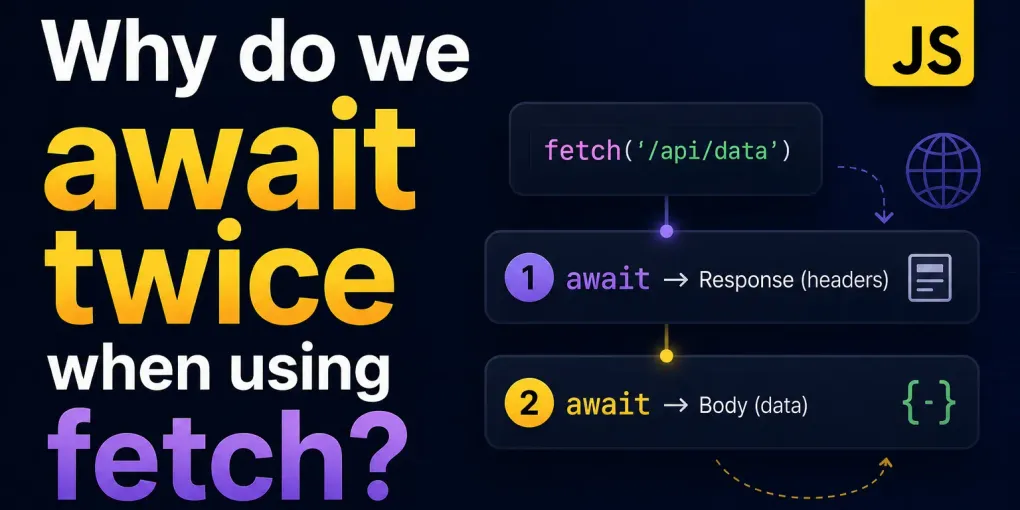
When you use the fetch API, here’s what’s happening:
First await fetch(...) — Waits for the response headers
const response = await fetch('https://api.example.com/data');- This line sends the HTTP request.
- The
awaitresolves once the response headers are received, not the full body. - At this point,
responseis aResponseobject that contains metadata like status code, headers, etc. - But the body is still a stream, and hasn’t been fully read yet.
Second await response.json() (or .text(), .blob(), etc.) — Waits for the full body
const data = await response.json();- Now you’re telling JavaScript how to read the response body.
- This
.json()method reads the streamed body to completion and parses it as JSON. - This is where the actual data becomes available to you as a usable JavaScript object.
Why is it Designed This Way?
Because of how HTTP works:
- The initial headers (status, content-type, etc.) are small and arrive first.
- The body can be large (e.g., 10MB of JSON), so it’s streamed for efficiency.
- JavaScript gives you control to decide when and how to consume that stream.
fetch vs axios
| Feature | fetch (Native) | axios (Third-party library) |
|---|---|---|
| Built-in? | ✅ Yes (modern browsers) | ❌ No, needs installation (npm install axios) |
| Default Data Format | Returns a Response object (you parse manually) | Automatically transforms JSON data |
| Response Parsing | await res.json() | res.data directly contains the parsed response |
| Error Handling | Only throws on network errors | Throws on network errors and HTTP errors |
| Request & Response Interceptors | ❌ Not supported | ✅ Easily customizable with interceptors |
| Timeout Support | ❌ Needs manual handling with AbortController | ✅ Built-in timeout config |
| Request Cancellation | ✅ AbortController | ✅ CancelToken or AbortController (newer versions) |
| Support for Older Browsers | ❌ Not in IE (without polyfill) | ✅ Works with IE11 if bundled properly |
| Upload Progress Tracking | ❌ Not directly | ✅ Supports progress callbacks |
| Automatic JSON transformation | ❌ You must use .json() | ✅ Auto-parses JSON |
| Setting Headers | Manual via Headers object | Simpler, using headers object |
| CSRF/XSRF protection | ❌ Manual setup needed | ✅ Built-in support via cookies |