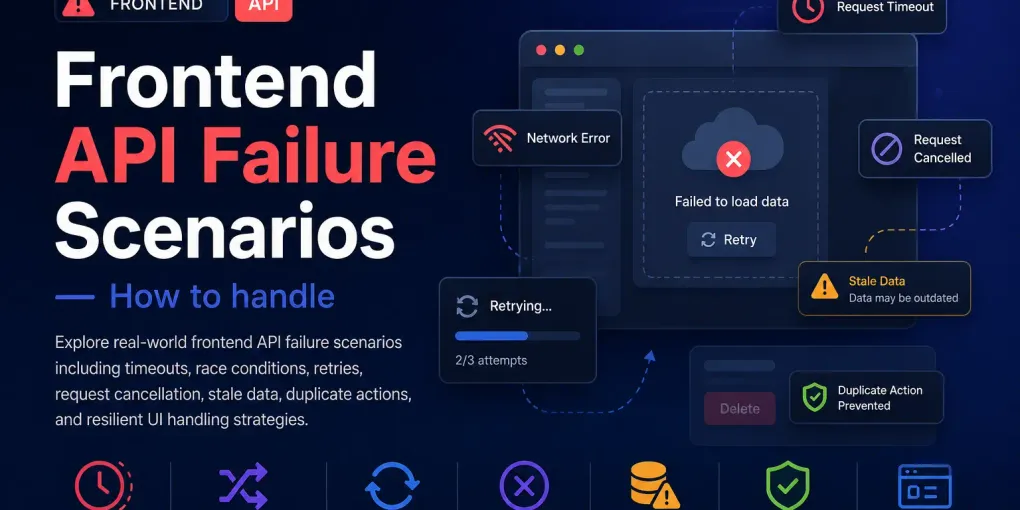
Frontend API Failure Scenarios - How to handle
Frontend API Failure Scenarios — Questionsx
- Suppose you make an API request and the response never comes. What problems can happen in the frontend? How would you handle this?
- Suppose user opens a page,API request starts, then user navigates away. Should the old request still continue? How would you handle this?
- Suppose user rapidly switches between tabs or pages. Request A starts first. Request B starts later. But Request A finishes after Request B. What issue can happen? How would you prevent it?
- Suppose backend server becomes very slow. Your frontend loader keeps spinning forever. How would you design the frontend to handle this properly?
- Suppose network is flaky and API fails sometimes. Would you retry automatically?
If yes:
- when?
- how many times?
- should all APIs retry?
- Suppose payment API times out. Frontend thinks request failed. User clicks Pay Again. What dangerous issue can happen?
- How would you implement timeout for fetch?Does this actually cancel the request?
- “Sometimes old data flashes briefly before new data appears.” What could cause this?
- Suppose user clicks search button 20 times quickly. What problems can happen? How would you solve this?
- Suppose internet is extremely slow. What frontend states should exist besides just: loading / success / error ?
- Suppose frontend cancels request. Does backend definitely stop processing?
Frontend API Failure Scenarios — Answers
These answers are written from a general frontend engineering point of view. They are not tied to any specific codebase.
1. Suppose you make an API request and the response never comes. What problems can happen in the frontend? How would you handle this?
If the response never comes, the frontend may keep showing a loader forever. The user may think the app is stuck or broken. The user may also click the same button multiple times, which can create duplicate requests. In some cases, memory/resources may also stay occupied longer than needed.
To handle this, I would add a timeout for the request. If the request does not finish within a reasonable time, I would cancel it and show a proper error message like: “Request is taking too long. Please try again.”
I would also make sure the UI stops loading, the button becomes usable again, and the error state is handled clearly.
A good frontend should not wait forever for an API response.
2. Suppose a user opens a page, an API request starts, then the user navigates away. Should the old request still continue? How would you handle this?
In most cases, the old request should not continue if the result is no longer needed. If the user has left the page, that response may be useless.
There are two things to handle:
- Cancel the request if possible.
- Prevent the old response from updating the UI.
For cancellation, I would use request cancellation mechanisms like AbortController for fetch, or cancellation support provided by the HTTP client library.
But cancellation alone is not enough. Sometimes the backend may still complete the request, or cancellation may not happen instantly. So I would also add a guard before updating the UI.
For example, in React, I would clean up inside useEffect:
useEffect(() => {
  const controller = new AbortController();

  fetch(url, { signal: controller.signal })
    .then(res => res.json())
    .then(data => {
      // update state only if component is still active
    })
    .catch(error => {
      if (error.name !== "AbortError") {
        // handle real error
      }
    });

  return () => {
    controller.abort();
  };
}, [url]);
The goal is to avoid updating an unmounted component or showing data on the wrong screen.
3. Suppose user rapidly switches between tabs or pages. Request A starts first. Request B starts later. But Request A finishes after Request B. What issue can happen? How would you prevent it?
This can cause a race condition.
Even though Request B is the latest request, Request A may finish later and overwrite the UI with old data. This means the user may see stale or incorrect information.
Example:
User opens Tab A → Request A starts
User quickly opens Tab B → Request B starts
Request B finishes first → UI shows Tab B data
Request A finishes later → UI wrongly shows Tab A data
To prevent this, I would ensure that only the latest request is allowed to update the UI.
Common ways to solve it:
- Cancel the previous request when a new one starts.
- Track a request ID and ignore older responses.
- Track the active tab/page and check it before updating state.
- In React, clean up old effects when dependencies change.
Example using request ID:
let latestRequestId = 0;

async function loadData() {
  const requestId = ++latestRequestId;

  const response = await fetch(url);
  const data = await response.json();

  if (requestId !== latestRequestId) {
    return; // ignore old response
  }

  updateUI(data);
}
The key idea is: older responses should not be allowed to overwrite newer UI state.
4. Suppose backend server becomes very slow. Your frontend loader keeps spinning forever. How would you design the frontend to handle this properly?
I would not allow the loader to spin forever.
A better design would include:
- A timeout after a fixed duration.
- A clear error message.
- A retry button.
- Optional automatic retry for safe requests.
- Proper loading state reset.
- Possibly a “Taking longer than usual…” message before final timeout.
Example flow:
0s: show loader
5s: show “This is taking longer than usual...”
15s: stop request and show timeout message
User can click Retry
This is better than silently waiting forever.
The UI should always have a recovery path.
5. Suppose network is flaky and API fails sometimes. Would you retry automatically? If yes: when, how many times, should all APIs retry?
Yes, but carefully.
Retries are useful when failures are temporary, like:
- Network fluctuation
- Temporary server overload
- Request timeout
- Gateway errors like 502, 503, 504
But I would not blindly retry every API.
GET requests are usually safer to retry because they mostly fetch data. But POST, PUT, PATCH, and DELETE can change data, so retrying them can be dangerous.
For example, retrying a payment, order creation, or form submission may create duplicate actions if the backend actually processed the first request.
A safe retry strategy could be:
Retry only safe/idempotent requests automatically.
Retry 2-3 times maximum.
Add small delay between retries.
Use exponential backoff if needed.
Do not retry validation errors like 400.
Do not retry auth errors like 401 unless token refresh is involved.
For dangerous actions, I would usually show a retry option to the user instead of retrying automatically, unless the backend supports idempotency keys.
6. Suppose payment API times out. Frontend thinks request failed. User clicks Pay Again. What dangerous issue can happen?
The dangerous issue is duplicate payment.
A timeout only means the frontend stopped waiting. It does not guarantee that the backend stopped processing.
Possible flow:
User clicks Pay
Payment request sent
Frontend times out
Frontend shows failure
Backend still completes payment
User clicks Pay Again
Second payment also happens
This is why payment APIs should not rely only on frontend timeout handling.
Safer approaches:
- Use idempotency keys.
- Disable repeated clicks while payment is pending.
- Show “checking payment status” instead of immediate failure.
- Query payment status before allowing retry.
- Backend should prevent duplicate payments for the same transaction.
Frontend should treat payment timeout as “unknown status,” not always as “failed.”
7. How would you implement timeout for fetch? Does this actually cancel the request?
Standard fetch does not have a direct timeout option.
There is no standard usage like:
fetch(url, { timeout: 5000 });The common way is to use AbortController with setTimeout.
Example:
async function fetchWithTimeout(url, options = {}, timeout = 15000) {
  const controller = new AbortController();

  const timeoutId = setTimeout(() => {
    controller.abort();
  }, timeout);

  try {
    const response = await fetch(url, {
      ...options,
      signal: controller.signal,
    });

    clearTimeout(timeoutId);
    return response;
  } catch (error) {
    clearTimeout(timeoutId);

    if (error.name === "AbortError") {
      throw new Error("Request timed out");
    }

    throw error;
  }
}
Does this actually cancel the request?
From the frontend side, yes, it cancels the fetch operation and rejects the promise with an abort error.
But it does not guarantee that the backend has stopped processing. If the request already reached the server, the server may still continue working.
So cancellation means:
Frontend stopped waiting and discarded the response.It does not always mean:
Backend stopped the operation.8. “Sometimes old data flashes briefly before new data appears.” What could cause this?
This usually happens because of stale state or race conditions.
Possible causes:
- Previous page data is still shown while new data is loading.
- Old API response finishes after a newer request.
- Component state is not reset when route/tab changes.
- Cache is showing stale data before fresh data arrives.
- Multiple requests are updating the same state.
Example:
User opens Product 1
Product 1 data loads
User opens Product 2
UI still shows Product 1 briefly
Then Product 2 data appears
To prevent this:
- Reset state when switching page/item.
- Show skeleton/loading state instead of old data if old data is misleading.
- Ignore stale responses.
- Cancel previous requests.
- Use proper cache keys if using a data-fetching library.
Old data is not always bad. Sometimes showing cached data is intentional. But if it confuses the user, the UI should show a loading state or clearly indicate that data is refreshing.
9. Suppose user clicks search button 20 times quickly. What problems can happen? How would you solve this?
Problems:
- 20 API requests may be fired.
- Server load increases unnecessarily.
- Responses may come back in random order.
- Old response may overwrite the latest result.
- UI may flicker.
- User experience becomes unstable.
Solutions:
- Debounce input-based search.
- Disable button while request is in progress.
- Cancel previous request when a new one starts.
- Only allow latest response to update UI.
- Use throttling if repeated actions are allowed but should be limited.
For search input, debounce is common:
// Wait until user stops typing for 300ms before calling APIFor button click, disabling is common:
User clicks Search
Button disabled
Request finishes
Button enabled again
For live search, cancellation plus latest-request tracking is usually best.
10. Suppose internet is extremely slow. What frontend states should exist besides just loading / success / error?
In real apps, only loading, success, and error may not be enough.
Better states can include:
| State | Meaning |
|---|---|
idle | Request has not started yet |
loading | Request is in progress |
slow | Request is taking longer than expected |
retrying | App is trying again after failure |
offline | User appears to be disconnected |
timeout | Request took too long |
partial | Some data loaded, some failed |
stale | Showing old cached data while refreshing |
success | Fresh data loaded successfully |
error | Request failed |
A mature frontend handles slow networks gracefully.
Example UX:
Loading...
↓
This is taking longer than usual...
↓
Still trying...
↓
Request timed out. Retry?
This gives users better feedback than a spinner that never changes.
11. Suppose frontend cancels request. Does backend definitely stop processing?
No.
Frontend cancellation does not guarantee backend cancellation.
When the frontend cancels a request, it means the browser/client is no longer waiting for the response. But if the request already reached the server, the server may continue processing it.
Example:
Frontend sends request
Backend receives request
Frontend cancels request
Backend may still continue processing
Backend may still update database
This is very important for actions that change data.
Examples:
- Payment
- Order creation
- Booking
- Form submission
- Delete operation
For such operations, frontend cancellation should not be treated as proof that the action did not happen.
Safer design:
- Use idempotency keys.
- Check final status from backend.
- Design backend operations to be safe against duplicates.
- Show “status unknown” when needed.
- Avoid automatic retry for dangerous operations unless backend supports it.
The correct mental model is:
Canceling frontend request stops the frontend from waiting.
It does not always stop the backend from working.